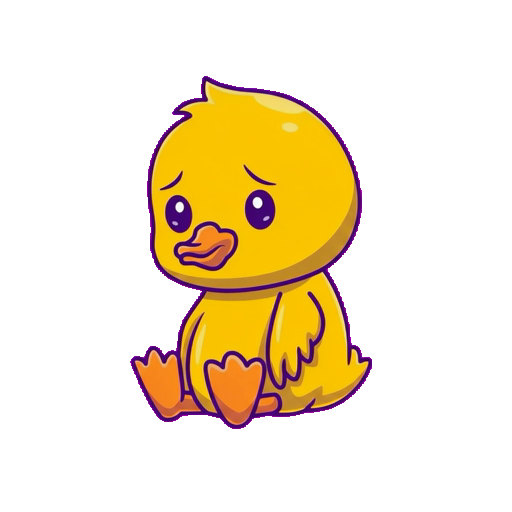
How to Animate a Character from a Single Image
Every method to turn a static character image into animations — from commissioning artists to AI tools that do it in 2 minutes.
You have a character drawing. Maybe it's concept art, a mascot, a game hero, or a VTuber avatar. It looks great — but it's just standing there. You want it to move.
Here's every way to animate a character from a single image in 2026, ranked from fastest to most hands-on.
Method 1: AI Animation Tools (Fastest)
Spritly
Spritly is built specifically for this use case. You upload one image of a character and get back polished animations on transparent backgrounds.
How it works: 1. Go to spritly.app 2. Upload your character image (front-facing, full body works best) 3. Pick from the animation library: wave, idle, dance, victory, game over, heart-eyes, flex, level up, and more 4. Download in GIF, WebM, and MOV — all transparent backgrounds 5. Regenerate an animation if you want another take (successful retries use another credit; failed generations are refunded)
Time: ~2 minutes per animation Cost: 3 free animations, then $1.25–$2.50 each Best for: Game developers, streamers, app makers who need character animations fast
Pros: - Instant results — no waiting for a freelancer - Transparent backgrounds included (ready for games/apps) - Multiple formats (GIF, WebM, MOV) - Failed generations are automatically refunded, and any result can be regenerated with another credit - Custom motion descriptions — describe any animation in text
Cons: - Works best with illustrated/cartoon characters - Not pixel-perfect art (it's AI-generated motion, not hand-drawn frame-by-frame) - Quality depends on input image clarity
Meta Animated Drawings
Meta's open-source tool animates children's drawings and simple character art.
How it works: Upload your drawing, Meta's AI identifies the limbs and animates them.
Time: Instant Cost: Free Best for: Quick experiments, simple characters
Pros: Free, open source Cons: Limited animation types, no transparent backgrounds, lower quality output, designed more for novelty than production
Viggle
Viggle focuses on image-to-video animation, primarily for social media content.
Time: Instant Cost: Free tier available Best for: Social media content, fun videos
Pros: Fun for social sharing Cons: Video-focused (not game-ready), no transparent backgrounds, less control over specific animation states
Method 2: Commission a Freelancer (Best Quality)
If you need precise art direction or a specific style that AI can't match, hiring a freelancer is the traditional path.
Where to find animators: - **Fiverr:** Search "sprite animation" or "character animation" — prices start at $5–$15 - **Upwork:** Search for "2D animator" or "character animator" — $15–$38/hour - **Reddit:** r/gameDevClassifieds, r/PixelArt (for pixel art specifically) - **Twitter/X:** Many indie animators take commissions through DMs
What to prepare: 1. Your character image (the clearest, highest-resolution version) 2. A list of animations you need (idle, walk, attack, etc.) 3. Your intended use (game, stream, app, video) 4. Reference animations you like (link to YouTube, GIFs, or other games) 5. Your budget and timeline
Typical costs and timelines: - **Single sprite:** $5–$50 (2–7 days) - **Full character set (7–10 animations):** $50–$200 (1–2 weeks) - **Spine rig + animation:** $50–$200 (1–2 weeks) - **High-end commission:** $200–$1,000+ (2–4 weeks)
Pros: Full art direction, pixel-perfect control, specific art styles Cons: Expensive, slow, revision cycles, quality varies by artist
Method 3: DIY with Animation Software
If you want total control and have time to learn, you can animate yourself.
Spine (2D skeletal animation) - **Cost:** $69–$329 (one-time license) - **Learning curve:** 1–4 weeks to get comfortable - **Best for:** Games with reusable character rigs - **How:** Import your character as separated body parts, create a skeleton, animate keyframes
Aseprite (Pixel art animation) - **Cost:** $19.99 (one-time) - **Learning curve:** 1–2 weeks for basics - **Best for:** Pixel art games - **How:** Draw each frame manually, export as sprite sheet
Adobe Character Animator - **Cost:** $22.99/month (Creative Cloud) - **Learning curve:** 1–2 weeks - **Best for:** Live performance capture, lip sync - **How:** Use webcam to puppeteer a layered character in real time
Piskel (Free pixel art) - **Cost:** Free - **Learning curve:** A few days - **Best for:** Simple pixel art, beginners - **How:** Browser-based frame-by-frame animation
Pros: Total control, no per-animation cost, learn a valuable skill Cons: Significant time investment, steep learning curve for quality results, you're doing all the work
Which Method Should You Pick?
| Your Situation | Best Method |
|---|---|
| Need animations in the next 10 minutes | Spritly |
| Need game-ready transparent animations cheap | Spritly |
| Need pixel-perfect art direction | Commission an artist |
| Want to learn animation as a skill | DIY (Spine/Aseprite) |
| Just want to mess around for free | Meta Animated Drawings |
| Need a full game with many characters | Spritly for prototyping + artist for polish |
Preparing Your Image for Best Results
Regardless of which method you choose, a good input image makes a huge difference:
- Front-facing: The character should face forward, not in profile
- Full body: Include the entire character from head to toe
- Clean background: Solid color or transparent — avoids confusion
- Clear outlines: Defined edges help both AI tools and human animators
- High resolution: More detail = better results
- Simple pose: A neutral standing pose works better than an action shot
FAQ
Can AI animation replace human animators? For many use cases — yes. Game developers, streamers, and app makers who need functional character animations can get them faster and cheaper with AI. However, for bespoke art direction and specific visual styles, human animators remain the gold standard.
What format should my character image be? PNG with transparent background is ideal. JPG works too, but a clean background helps. At minimum, make sure the character is clearly separated from the background.
Can I use AI-animated characters commercially? Yes, with tools like Spritly you own the output and can use it commercially. Always check the specific tool's terms.
Ready to animate your character? Try Spritly free — 3 animations, no card needed. One image in, a whole flock of animations out.
Try Spritly free — 3 animations, no card needed
Get started →